


Piano Tiles ™ - Tap Music Game
4.5107.00 Reviews
App Specs
- Version
- 1.0.39
- Updated On
- License
- Free
- Downloads
- 500,000+
- Developer
- Kooapps Games | Fun Arcade and Casual Action Games
- Categories
- Music
- Platform
- Android, iOS
Screenshots
 Analysis by AppCompare
I like rhythm games that make their rules clear quickly, and this one has a simple appeal: follow the moving pattern, tap the dark tiles, and try not to lose the beat. Piano Tiles ™ - Tap Music Game is a casual music game from Kooapps Games | Fun Arcade and Casual Action Games. Its basic idea is easy to understand, but staying accurate as the pace picks up takes more attention than a first glance suggests.
A good fit for short, focused sessions
The first thing I would use it for is a brief break: a round while waiting for a drink, between tasks, or during a quiet commute when I can safely look at my screen. The appeal is that there is almost no planning involved. I can start with the basic tapping challenge, see how steady my timing feels, and stop after a short attempt. That makes it easier to fit into a day than a music game built around long sessions or elaborate progression.
It is also a reasonable choice for someone curious about rhythm games but unsure about learning a complicated control scheme. The central action is direct, and the challenge comes from timing and concentration rather than mastering a large set of commands. I would recommend it to players who enjoy trying to beat their own performance and can accept that a small timing mistake may end a promising run.
How I approach the first few rounds
I get more out of a session when I treat the opening attempts as a warm-up rather than a test. I hold the phone comfortably, keep my hands relaxed, and focus on the next tile instead of trying to anticipate too far ahead. Once the pace rises, staring at the whole screen can make the pattern feel busier than it is; watching the area where the next tap is due helps me stay composed.
A useful habit is to notice whether I am rushing or hesitating. If I tap early because I am trying to get ahead of the tiles, I slow my rhythm and let the pattern guide me. If I am consistently late, I avoid making larger, tense movements and keep my fingers close to the screen. These are small adjustments, but they help turn a random-feeling run into a more deliberate one.
Getting Started with the Piano Magic
Diving into Piano Tiles ™ is like stepping into a musical wonderland. The app is available for both Android and iOS, so no one misses out on the fun. Once installed, you're greeted with a sleek and simple interface that's easy to navigate. No fluff, just pure rhythm-driven excitement waiting for you.
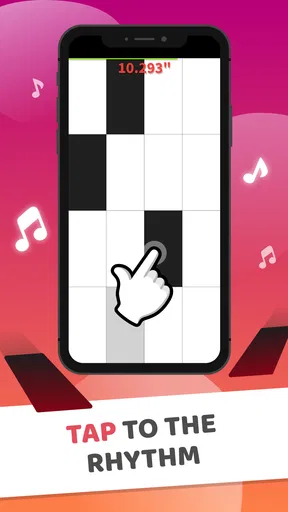
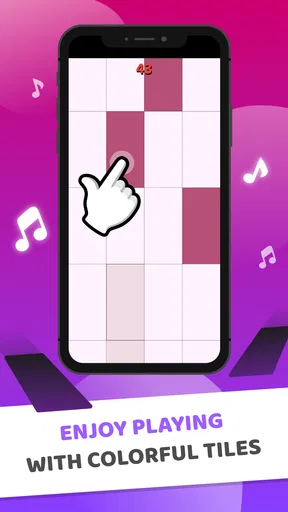
The game essentially revolves around tapping black tiles as they scroll down your screen, in time with the music. Sounds simple, right? Well, don’t let that fool you. As you progress, the speed of the tiles increases, testing your reflexes and rhythm skills to the max. It's a thrilling challenge that keeps you on the edge of your seat.
Worth Reading Before You Choose

EA SPORTS FC Mobile 26 Is a Bigger Football Game, but It Takes Time

Flipboard Shows What News Apps Must Do Beyond the Feed

Switching to Android Auto Means Rethinking Your Driving Routine

Google Calendar Makes a Crowded Week Easier to Manage

Ludo King Makes the Most of the Minutes Between Plans

Baby Panda World Brings Quick Play to Modern Phones, but Its Game Library Feels Busy
Settings and small choices that matter
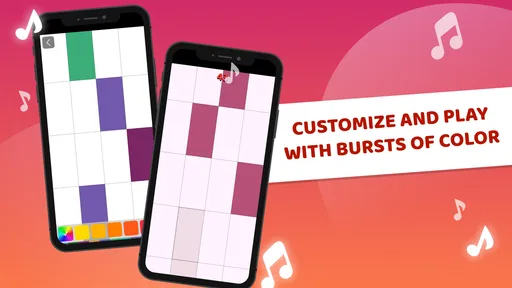
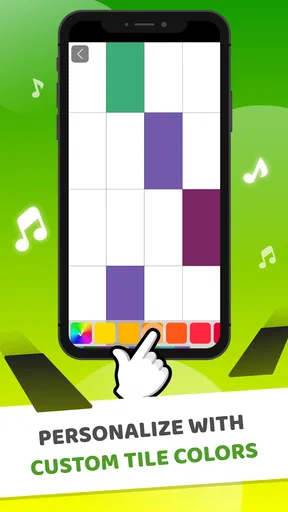
Before settling into a longer session, I check the available controls and presentation options rather than assuming every default will suit me. The interface includes customizable themes, so a quick visual adjustment can make the tiles easier for me to follow or simply feel less tiring to look at. I would choose a clear contrast over a decorative look when accuracy matters; visual style is nice, but readable targets are more useful during a fast run.
I also pay attention to the conditions around the session. A rhythm game depends on being able to see and hear what is happening, so playing with distractions competing for attention makes it harder to judge timing. If I am somewhere noisy, I keep my expectations modest instead of blaming every missed tap on reflexes. For a calmer practice attempt, I choose a comfortable place, use a steady grip, and avoid switching between the game and other tasks mid-run.
Features That Hit the Right Note
Now, let's talk features because this game isn't just about tapping tiles. It's about creating music, feeling the beat, and challenging yourself.
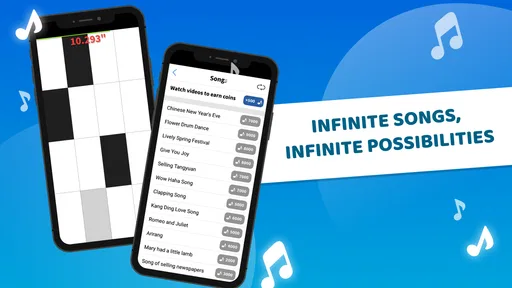
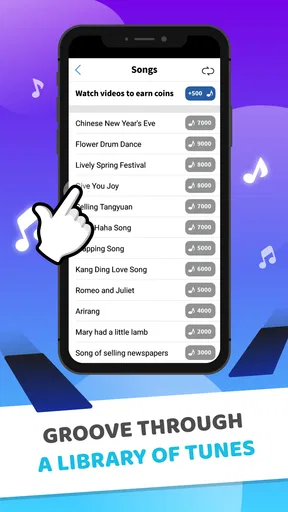
- Vast Song Collection: The app boasts a rich library of songs ranging from classical masterpieces to pop hits. Whether you're a Beethoven buff or a Billie Eilish enthusiast, there's something here for everyone.
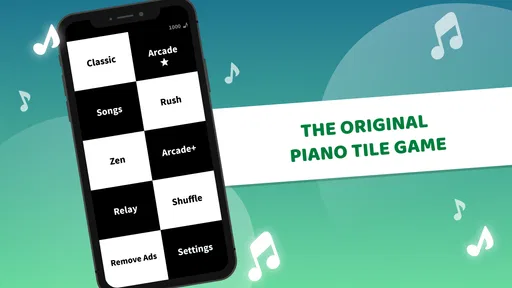
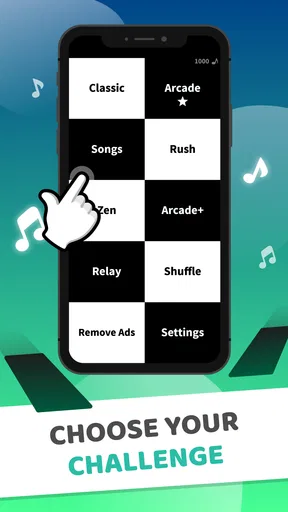
- Multiple Game Modes: The game offers various modes like Classic, Arcade, Zen, and more. Each mode provides a unique twist on the basic gameplay, ensuring you never get bored.
- Leaderboard and Achievements: Feel like showing off your skills? Compete with friends and players worldwide on the leaderboard. Achievements add an extra layer of motivation to keep improving.
- Customizable Themes: For those who love a bit of personalization, the app lets you tweak the look with different themes, making your gaming experience even more enjoyable.
Faster play without frantic tapping
When the sequence speeds up, I find that trying to tap harder or faster is usually the wrong response. The better approach is to make each movement smaller and keep a steady rhythm. I focus on the next required tile, then move on, rather than mentally rehearsing a long chain that may change before I reach it. That keeps the game feeling like a sequence of manageable decisions instead of one blur.
Another practical tip is to avoid turning every attempt into a score chase. I sometimes use a run to concentrate on clean, controlled taps, then make a separate attempt when I feel ready to push further. This gives me a clearer sense of whether a miss came from rushing, poor focus, or simply a difficult moment. It also makes replaying more satisfying: I have a specific thing to improve rather than just hoping for a better result.
Where this rhythm game differs from alternatives
Compared with music games that ask players to learn several lanes, swipe gestures, or layered inputs, this one keeps the central interaction easy to grasp. That simplicity is its biggest strength for casual play, but it also means it may not satisfy someone looking for a deep music library experience, detailed instrument simulation, or a broad set of skills to master. I would choose a more elaborate rhythm title if I wanted complex charts and a longer learning curve; I reach for this style when I want a quick test of timing and attention.
The presentation also shapes expectations. It is a tile-tapping challenge set to music, not a piano lesson, so I would not use it to learn keyboard technique or read sheet music. Players who want to practice an actual instrument will get more from a teaching app or a real keyboard. Here, the musical element adds energy and rhythm to an arcade-style task rather than replacing structured music instruction.
Who should skip it, and what to expect
I would steer away from it if fast visual reactions frustrate you, if you dislike repeating attempts, or if you want a game that rewards long-term planning more than moment-to-moment accuracy. It can also be a poor choice when you need to keep your attention on people or surroundings; the rising pace encourages close screen focus. I treat it as a small, self-contained diversion, not something to play while walking or doing anything that needs my full attention.
The game is free to download and is rated for Everyone, which makes it approachable for a broad range of players. Optional in-app purchases run from $0.99 to $4.99 per item, so I would check the purchase prompts before handing a device to a child or anyone who might tap through them quickly. The game is at version 1.0.34, and its Android minimum is 6.0. It has a 4.4 average from around 1,500 ratings and over 500,000 installs, giving newcomers a sense that it has attracted a sizable audience without telling them whether its particular style will suit them.
Why You'll Get Hooked
So, what makes Piano Tiles ™ such a hit? For one, it's incredibly easy to pick up and play. There's no steep learning curve, making it accessible to players of all ages. However, mastering the game? That's a whole different story and therein lies the addiction.
Each song presents a new challenge, and the satisfaction of hitting every note perfectly is indescribable. It's like being your own little maestro, conducting a symphony with the tips of your fingers. Plus, the ability to replay songs and perfect your score keeps you coming back for more.
Repeatable habits for better runs
I get the most consistent results when I keep a few things the same from one attempt to the next: a comfortable grip, a clear view of the screen, and a relaxed pace at the start. Changing several things at once makes it hard to tell what helped. If I change a theme, for instance, I give myself a moment to get used to the new look before judging my performance. That small pause prevents a visual adjustment from feeling like a sudden gameplay problem.
It is also worth deciding what a session is for before starting. A short break might call for one or two casual attempts, while a focused session can be about improving control or revisiting a challenge. I stop when I notice that I am tapping impatiently rather than following the pattern. Pushing through that feeling often turns a quick game into a frustrating loop, while taking a pause makes it easier to come back with fresh attention.
Limits behind the simple premise
The same directness that makes the game accessible can eventually feel narrow. If the basic tile-tapping loop is not enjoyable to you, extra songs, score goals, or presentation changes are unlikely to transform it into a different kind of game. The music can make a run feel lively, but the player is still concentrating on screen cues and timing. I would try it for that specific arcade rhythm feeling, not because I expect it to offer the variety of a full music-game collection.
It is also not ideal for every phone or playing situation. Small screens can make fast patterns feel cramped, and glare or a moving environment can interfere with reading what is coming next. If I cannot comfortably see the tiles, I do not treat repeated misses as a lack of skill; I switch to a better setting or leave the game for later. That is a more useful adjustment than trying to compensate with tense, oversized taps.
The Community Vibe
Another aspect I love is the community surrounding the game. With millions of downloads, you're never alone in your quest for musical perfection. The competitive spirit is alive and well, and the global leaderboard is a testament to the dedication of players worldwide. It's always fun to see how you stack up against others and perhaps even make a few friends along the way.
For me, the social and competitive side works best as an optional nudge rather than the reason to play. A leaderboard can give a familiar challenge a little extra context, but comparing scores is only fun when I am in the mood for it. If competition makes me rush or turns every round into a judgment, I ignore that pressure and use the game as a personal timing exercise instead. The point is to find a pace that keeps the tapping enjoyable.
What I would check before installing
If you are deciding whether to try it, the key question is not whether you like piano music in general; it is whether you enjoy fast, repeated taps guided by moving tiles. I would install it for a low-commitment arcade distraction, especially if I like chasing a cleaner run. I would skip it if I need a calm listening experience, a realistic piano interface, or a game with substantial strategic choices.
On iOS, the game is available too, while Android players need a device running version 6.0 or later. Because it is free to start and includes optional purchases, I would treat any spending as a choice to make deliberately rather than part of the basic reason to try it. A sensible first session is simply to play a little, see whether the timing loop feels satisfying, and decide from that experience instead of assuming the broad music theme means it will suit every music fan.
Wrapping Up the Musical Journey
In conclusion, Piano Tiles ™ - Tap Music Game is more than just a game; it's a journey into music and rhythm. Whether you're looking to kill some time or seriously challenge your reflexes, this app has got you covered. The combination of a vast song library, engaging gameplay, and a vibrant community makes it a must-have on your device.
So, go ahead and give it a try. You might just find yourself tapping away for hours, lost in the music. Happy playing!
My verdict on building mastery
I see this as an easy game to start and a more demanding one to play consistently well. Its appeal is the quick feedback: I can tell almost immediately whether my timing and focus are holding up. Kooapps Games | Fun Arcade and Casual Action Games has made a music game with a straightforward central challenge, and the free entry point makes it simple to test whether that challenge clicks for me.
My honest recommendation is to try it if you enjoy short arcade rounds, quick reactions, and the satisfaction of refining a repeatable habit. Keep your taps light, make visual comfort a priority, and take breaks when concentration slips. If you want to learn piano, explore complicated rhythm charts, or relax without watching the screen closely, another option will serve you better. For everyone who likes a brisk timing challenge, though, this is a compact way to turn a spare moment into a focused little game.
Pros
- Highly addictive gameplay experience.
- Wide variety of song choices available.
- Simple and intuitive controls.
- Smooth and responsive touch mechanics.
- Regular updates with new songs.
Cons
- Contains frequent ads between levels.
- In-app purchases can be expensive.
- Some songs locked behind paywall.
- Requires internet for full features.
- Can drain battery quickly.
FAQs for Piano Tiles ™ - Tap Music Game
What is the main objective of Piano Tiles ™ - Tap Music Game?
Piano Tiles ™ - Tap Music Game is a rhythm-based game where the primary objective is to tap on black tiles as they appear on the screen while avoiding any other tiles. The game challenges your reflexes and timing as the speed increases, providing an engaging musical experience.
Is Piano Tiles ™ free to play?
Yes, Piano Tiles ™ is free to download and play. However, the game does offer in-app purchases for users who want to enhance their experience with additional features such as ad-free gameplay or exclusive songs. These purchases are optional and not necessary to enjoy the game.
Does Piano Tiles ™ require an internet connection?
Piano Tiles ™ can be played offline, making it convenient for users who do not have a consistent internet connection. However, certain features such as accessing online leaderboards or downloading additional songs may require an internet connection.
What are the different game modes available in Piano Tiles ™?
Piano Tiles ™ offers various game modes to keep players engaged. These include Classic Mode, Arcade Mode, Zen Mode, and Rush Mode, each providing a unique twist on the standard gameplay. Players can challenge themselves with increasing difficulty levels and compete for high scores.
How can I improve my performance in Piano Tiles ™?
To improve in Piano Tiles ™, players should focus on practicing regularly to enhance their reflexes and timing. Starting with slower songs and gradually progressing to faster ones can help build confidence. It’s also beneficial to play in a distraction-free environment to maintain concentration.


